
If you own an Apple Watch and have ever gone swimming with it, you may have noticed a small water droplet icon appear on the screen. That is the Water Lock feature, and it serves a simple but important purpose.
According to Apple Support, when Water Lock is on, your Apple Watch does not respond to touch on its display. This prevents accidental input while you are in water.
What Water Lock Actually Does
The main job of Water Lock is to stop water from being mistaken for a finger tap. When you are swimming or in the rain, water droplets on the screen can cause the watch to open apps, change settings, or make accidental calls. Water Lock locks the touchscreen so that only the Digital Crown can be used to turn it off.
As explained by users on Reddit, the feature "just keeps water from being registered as taps on the screen. And then when you turn it off it emits sounds from the speaker."
How to Turn Off Water Lock and Eject Water
When you are done swimming, you turn off Water Lock by rotating the Digital Crown. This action triggers a short sound and vibration from the watch. The sound is designed to push any water that may have entered the speaker out of the device.
According to Apple Support, "When you turn off Water Lock, your watch ejects any water that remains in its speaker." This helps keep the speaker working properly after exposure to water.
When Does Water Lock Activate?
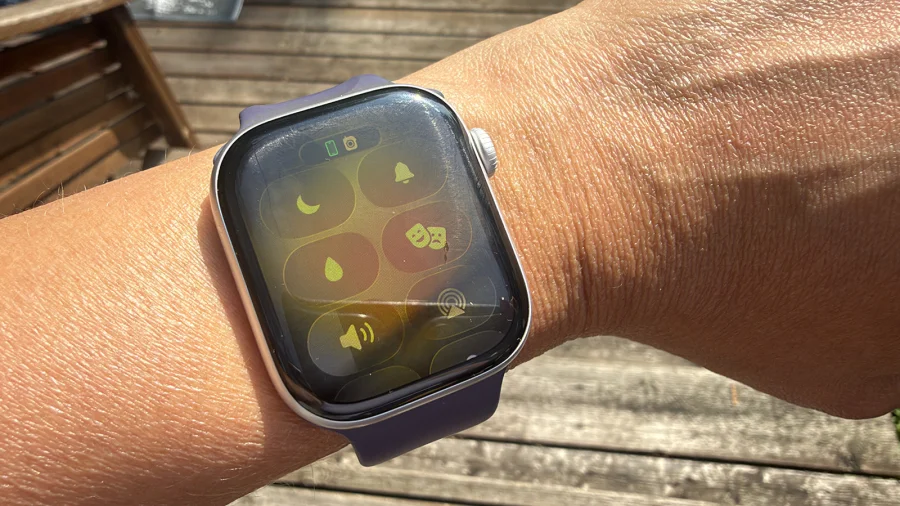
Water Lock activates automatically when the Apple Watch detects that you are swimming. You can also turn it on manually before entering water by swiping up to the Control Center and tapping the water droplet icon.
It is important to note that Water Lock does not make the watch waterproof. It is a software feature that prevents accidental touches and clears the speaker. The watch itself is water-resistant, but Water Lock adds an extra layer of protection for the screen and speaker.
Our Take: A Simple but Smart Feature
Water Lock is a good example of Apple thinking about real-world use. It solves two problems at once — stopping accidental taps and clearing water from the speaker. For anyone who swims or exercises in wet conditions, it is a feature worth using. Just remember to turn it off after swimming so the speaker can eject any trapped water.