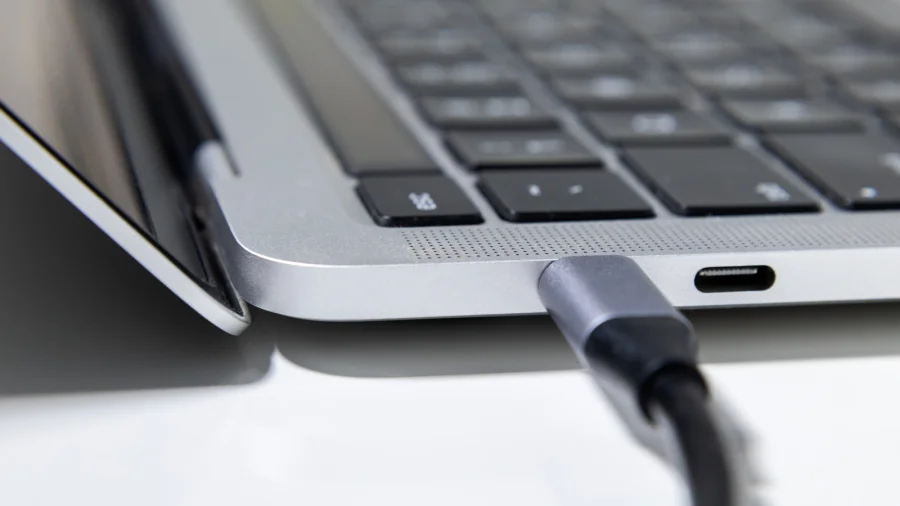

Many people believe that if a device has a USB-C port, it will automatically deliver fast data transfer and quick charging. That is not true. The USB-C connector is just the shape of the plug. What really matters is the technology behind it.
Why USB-C Speed Varies Between Devices
USB-C was designed to simplify connections. One cable for everything — charging, data, video. But in reality, it has created confusion. According to Violence Prevention Wales, many folks mistakenly believe that simply having a USB-C connector on one end guarantees blazing-fast speeds or super-quick charging. While USB-C does unlock incredible potential, it's not just about the connector itself; it's about the underlying USB standard and the capabilities of your devices and cable.
This means a cheap USB-C cable might only support USB 2.0 speeds — that is just 480 Mbps. Meanwhile, a high-quality USB-C cable can support USB 3.2 Gen 2x2 at 20 Gbps or even USB4 at 40 Gbps. The port looks the same, but the performance is completely different.
What Determines Actual USB-C Performance
Three things decide how fast your USB-C connection will be: the port on your device, the cable you use, and the device you connect to. If any one of these is slow, the whole connection will be slow.
For example, plugging a USB 3.2 cable into a USB 2.0 port will only give you USB 2.0 speeds. Similarly, using a cheap cable that only supports USB 2.0 on a USB 3.2 port will also limit you to slow speeds. According to PCMag, although it uses a USB-C physical connector, you'll need an appropriate Thunderbolt-specific cable to guarantee compatibility and full speed.
How to Check Your USB-C Port Speed
To know what speed your USB-C port supports, check the specifications of your device. Look for terms like USB 3.2 Gen 1 (5 Gbps), USB 3.2 Gen 2 (10 Gbps), USB4 (20-40 Gbps), or Thunderbolt 3/4 (40 Gbps). If the specs only say "USB-C" without any number, it is likely a slower USB 2.0 port.
Also check the cable. Many USB-C cables sold for charging phones only support USB 2.0 data speeds. For fast data transfer, you need a cable that clearly states its speed rating.
Our Take: USB-C Is a Connector, Not a Promise
USB-C is a great physical standard — it is reversible, compact, and can carry power, data, and video. But the industry has failed to make it simple for consumers. A single port shape with wildly different capabilities underneath is confusing.
In our view, manufacturers should clearly label the speed and power capabilities of every USB-C port and cable. Until then, buyers should be careful. Do not assume that a USB-C port will give you fast speeds. Check the specs. Read the fine print. And remember: the connector is just the beginning.