

Summary
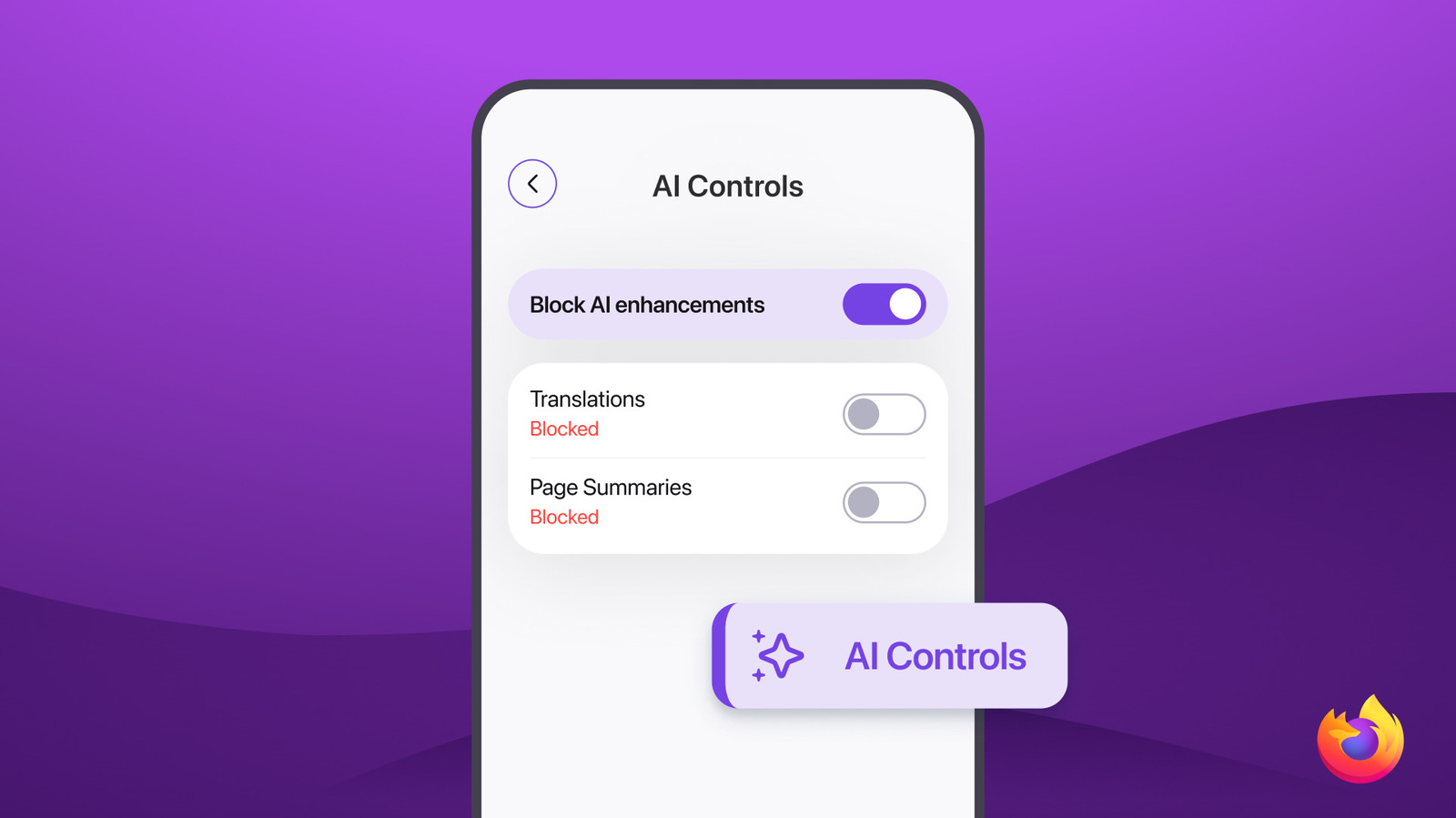
Mozilla has introduced a new feature for the Firefox mobile browser called AI guardrails. This update allows users to turn off all artificial intelligence features within the app using a single tap. As AI becomes more common in everyday software, Firefox is giving its users the choice to opt out completely. This move focuses on user privacy and provides a cleaner browsing experience for those who do not want AI tools interfering with their web search.
Main Impact
The biggest impact of this update is the return of control to the mobile user. In recent years, many tech companies have added AI tools to their browsers without giving people an easy way to hide them. By adding a simple "kill switch" for AI, Firefox is positioning itself as the go-to browser for people who value a traditional, distraction-free internet. This change helps users save battery life, reduce data usage, and keep their browsing habits more private by preventing AI models from processing their information.
Key Details
What Happened
Mozilla updated the Firefox app for both Android and iOS devices to include a new setting for AI management. This feature, known as "AI Guardrails," acts as a master switch. When a user flips this switch, every AI-powered enhancement in the browser stops working immediately. This includes things like automatic text summaries, AI-driven search suggestions, and smart image tools that usually run in the background. Instead of having to find and turn off five or six different settings, the user can now do it all at once.
Important Numbers and Facts
The update is rolling out to millions of mobile users starting today, May 20, 2026. According to recent surveys, nearly 40% of mobile users feel that AI features in browsers are "too intrusive" or "unnecessary." Firefox is the first major mobile browser to offer a one-tap solution to disable these tools. The update is free and is part of the latest version of the Firefox mobile app available in the Google Play Store and the Apple App Store.
Background and Context
To understand why this matters, we have to look at how much the internet has changed in the last two years. Almost every major browser, including Google Chrome and Microsoft Edge, has integrated AI assistants directly into the search bar. These assistants try to answer questions, summarize articles, and even generate images while you browse. While many people find these tools helpful, others find them annoying or worry about how their data is being used to train these AI systems.
Mozilla has always focused on privacy and user rights. Unlike other companies that make money by selling ads or AI services, Mozilla is a non-profit organization. Their goal is to keep the internet open and accessible. By creating these guardrails, they are responding to a growing group of people who are tired of seeing AI everywhere they look. This "AI fatigue" is a real trend, and Firefox is the first to give those users exactly what they want.
Public or Industry Reaction
The reaction from privacy experts has been very positive. Many tech critics have praised Mozilla for not forcing AI on its users. On social media, long-time Firefox fans expressed relief that they can finally hide the AI features that have been popping up in other apps. However, some industry analysts wonder if this will put Firefox at a disadvantage. They argue that if AI becomes the main way people use the internet, a browser that lets you turn it off might fall behind. Despite this, the general feeling is that having a choice is always better for the consumer.
What This Means Going Forward
Looking ahead, this update might force other browser makers to rethink their strategies. If enough people switch to Firefox to avoid AI, companies like Google or Apple might be forced to add similar "off" buttons to their own products. We can also expect Mozilla to add even more specific controls in the future. Instead of just one big switch, they might let users choose exactly which AI tools they want to keep and which ones they want to block. This is likely just the beginning of a larger movement to give people more power over the software they use every day.
Final Take
Firefox is sending a clear message that the user should be in charge of their own browsing experience. While AI is a powerful tool, it is not something everyone wants or needs. By providing a simple way to turn these features off, Mozilla is staying true to its mission of putting people before profits. In a world where technology often feels forced upon us, having a simple "off" switch is a breath of fresh air.
Frequently Asked Questions
How do I turn off the AI features in Firefox mobile?
You can find the "AI Guardrails" option in the settings menu of the Firefox app. Simply toggle the switch to the "off" position to disable all AI enhancements instantly.
Will turning off AI make my browser faster?
Yes, in many cases, disabling AI features can make the browser feel faster and more responsive. It reduces the amount of processing your phone has to do, which can also help save battery life.
Can I turn the AI features back on later?
Yes. The switch is not permanent. You can go back into your settings at any time and turn the AI features back on if you decide you want to use them again.